
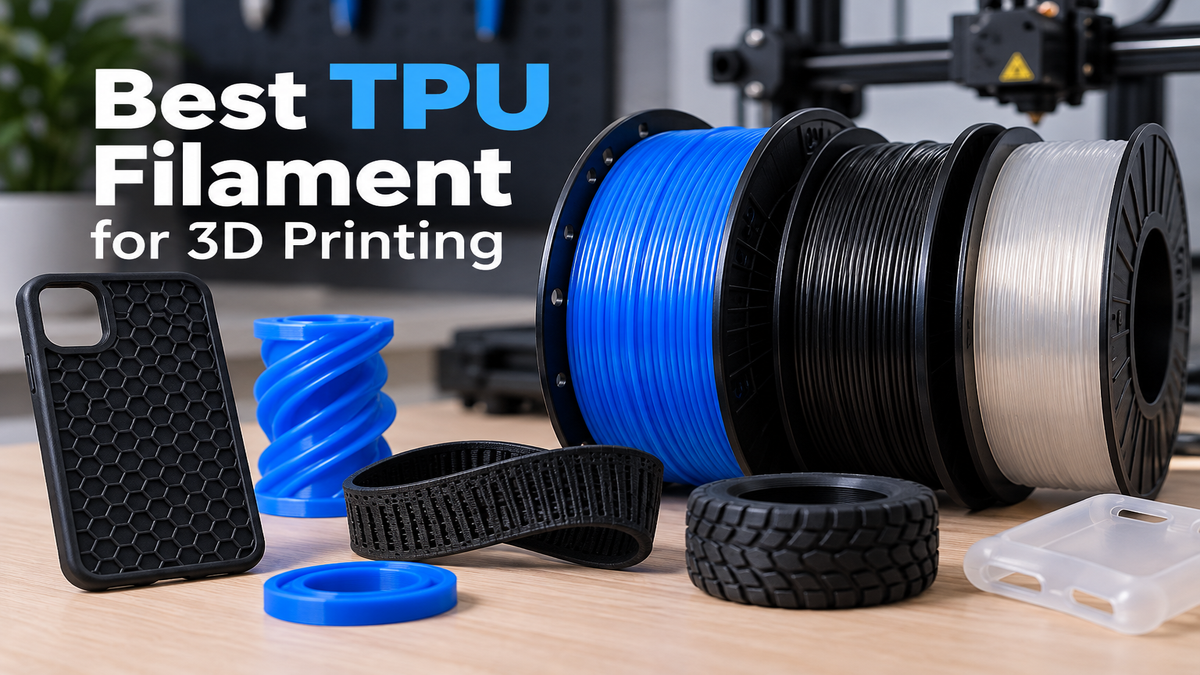
TPU filament is one of the best choices for 3D printing parts that need to bend, flex, absorb impact, or compress rather than behave like rigid plastic.
It is commonly used for phone cases, flexible grips, gaskets, protective covers, seals, vibration-damping parts, and other functional prints where flexibility and durability matter.
But choosing the best TPU filament is not simply about buying the softest or most expensive spool. Shore hardness, printability, filament quality, moisture control, and printer compatibility can all affect the final result.
In this guide, we’ll explain what to look for when choosing TPU filament, compare common hardness levels such as 95A and 85A, and cover the key factors to consider before buying your next spool.
Quick Answer: What Is the Best TPU Filament?
For many users, TPU 95A is a practical starting point for flexible 3D printing because it offers a useful balance between flexibility, durability, and printability.
Softer TPU grades such as 85A can provide more flexibility, but they may also be more demanding to feed and print consistently. For a first TPU spool, 95A can be a practical choice, while softer grades may make more sense when a project specifically requires greater flexibility.
When choosing TPU, pay attention to:
- Shore hardness
- Consistent filament diameter
- Moisture protection
- Manufacturer printing recommendations
- Printer compatibility
- The flexibility required for your project
Your ideal TPU depends on what you plan to print. A phone case, gasket, flexible grip, and vibration-damping part may require different material characteristics.
What Is TPU Filament?
TPU stands for thermoplastic polyurethane. It is a flexible thermoplastic material that can be melted and extruded through an FDM 3D printer.
Unlike rigid materials such as PLA and PETG, TPU is designed to retain a degree of flexibility after printing. Its flexibility can vary significantly depending on the specific formulation and Shore hardness, ranging from relatively firm and rubber-like to soft and highly flexible.
This combination of flexibility, durability, and impact resistance makes TPU useful for parts that need to bend, compress, or absorb impact without easily cracking.
Common Uses for TPU Filament
TPU is commonly used for:
- Phone cases
- Flexible grips
- Gaskets and seals
- Protective covers
- Vibration-damping parts
- Cable strain reliefs
- Flexible hinges
- Wheels and tires
- Wearable parts
- Impact-resistant components
How Does TPU Compare With Other 3D Printer Filaments?
TPU is different from PLA and PETG because flexibility is its main advantage. While PLA and PETG are generally used for rigid parts, TPU is designed for applications where the finished print needs to bend, compress, or absorb impact.
PLA is usually the easiest of the three materials to print, making it a common choice for models, prototypes, and general-purpose prints. PETG offers a good balance of rigidity, durability, and ease of use for functional parts.
TPU is a good fit when flexibility, compression, or impact absorption is an important requirement of the finished part. However, it is generally more demanding to print than PLA or PETG, so the choice depends on the properties and printability requirements of the specific project.
How Do PLA, PETG, and TPU Compare?
| Feature | PLA | PETG | TPU |
|---|---|---|---|
| Flexibility | Low | Low to moderate | High |
| Rigidity | High | High | Low |
| Ease of printing | Easy | Moderate | Moderate to difficult |
| Impact absorption | Moderate | Good | High |
| Typical use | Models and prototypes | Functional parts | Flexible parts |
If you need a rigid model or an easy material for general 3D printing, PLA is usually the simpler choice. PETG is useful when you need a more durable rigid part, while TPU is better suited to parts that need to flex or absorb impact.
If you are still deciding which material to start with, our guide to the best 3D printer filament for beginners explains how the most common filament types compare.
What Does TPU Shore Hardness Mean?
Shore hardness is one of the most important specifications to understand when choosing TPU filament.
It describes how hard or soft the material is. TPU is commonly identified by Shore A values such as 95A, 90A, or 85A.
In general, a higher Shore A number means a firmer material, while a lower number means a softer and more flexible material.
This means that 95A TPU is generally firmer than 85A TPU. The difference can affect both how the finished part feels and how easy the filament is to print.
TPU Shore Hardness Comparison
| TPU Hardness | General Feel | Typical Applications | Printing Difficulty |
|---|---|---|---|
| 95A | Firm and flexible | Cases, bumpers, feet, general flexible parts | Easier |
| 90A | Softer and flexible | Grips, seals, flexible functional parts | Moderate |
| 85A | Soft and stretchy | Soft grips, wearables, specialty parts | More difficult |
| 80A and below | Very soft | Specialized flexible applications | Difficult |
The softest TPU is not necessarily the best TPU for every project. If your part only needs moderate flexibility, a firmer grade such as 95A may be easier to print while still providing enough flexibility for the application.
Choose the hardness based on how the finished part needs to behave rather than simply choosing the lowest Shore hardness available.
Other TPU Properties to Consider
Shore hardness is important, but it is not the only property that matters when choosing TPU filament.
Depending on the application, you may also need to consider flexibility, impact resistance, abrasion resistance, durability, and how the material behaves under repeated bending or compression.
For example, a TPU used for a protective cover may have different requirements from one used for a gasket, grip, or wheel. The best choice is the material that provides the properties your specific application requires while remaining practical for your 3D printer.
Why TPU 95A Is a Good Starting Point
TPU 95A is a practical starting point for flexible 3D printing because it offers a useful balance between flexibility and printability.
It is flexible enough for many practical applications while remaining firm enough to feed through a properly configured extrusion system. This makes it easier to work with than very soft TPU grades for many users.
If you are printing TPU for the first time, 95A is often a more practical choice than immediately starting with a softer material such as 85A.
However, TPU 95A is not automatically the best choice for every project. If your application requires a very soft or highly flexible part, a lower Shore hardness may be more appropriate.
The right TPU hardness depends on the amount of flexibility, compression, and deformation required by the finished part.
Best TPU Filament: What Should You Look For?
Shore Hardness
Shore hardness should be one of the first things you check when comparing TPU filaments.
For general-purpose flexible printing, 95A TPU is a practical starting point for many users. If you need a softer and more flexible part, you can consider lower Shore hardness materials such as 90A or 85A.
The important thing is to match the hardness to the application. A softer filament is not automatically a better choice if your printer or project does not require that level of flexibility.
Consistent Filament Diameter
Consistent filament diameter is important for reliable extrusion.
TPU is already more demanding to feed than rigid materials because it can bend and deform inside the extrusion path. Variations in filament diameter can make extrusion less predictable and may contribute to inconsistent print quality.
When comparing TPU products, look for manufacturers that clearly specify the filament diameter and provide consistent quality control information.
Moisture Protection
Moisture protection is especially important when buying TPU filament because TPU can absorb moisture from the surrounding air.
Moisture-affected TPU may produce problems such as stringing, bubbling, popping sounds, rough surfaces, and inconsistent extrusion.
Look for TPU filament that is well sealed when packaged. After opening, store the spool in a drybox or resealable bag with desiccant when possible to reduce moisture absorption and help maintain consistent print quality.
Do You Need a Direct-Drive Extruder for TPU?
A direct-drive extruder is generally the easier setup for printing TPU because the distance between the extruder gears and the hotend is shorter.
Flexible filament can bend or buckle when there is too much space inside the filament path. Keeping TPU more tightly constrained helps the extruder push the filament toward the hotend more consistently.
This does not mean that every Bowden-style printer is incapable of printing TPU. Some printers can handle flexible filament with the right setup and settings.
However, a long filament path can make flexible materials more difficult to feed, especially when using softer TPU.
Direct Drive vs Bowden for TPU
| Feature | Direct Drive | Bowden |
|---|---|---|
| TPU feeding | Generally easier | More demanding |
| Filament path | Shorter | Longer |
| Soft TPU | Better suited | More difficult |
| Beginner setup | Easier | Requires more tuning |
If you are buying a TPU filament for the first time, a direct-drive printer paired with 95A TPU is a practical combination to start with.
What Is the Best TPU Filament for Beginners?
For beginners, a reliable 95A TPU filament is usually a practical place to start. It provides useful flexibility while being easier to feed and print than many softer TPU grades.
When choosing your first TPU spool, focus on consistent filament quality, clear manufacturer specifications, good moisture protection, and compatibility with your printer.
A direct-drive extruder can also make the learning process easier because flexible filament has a shorter and more controlled path to the hotend.
You do not need to choose the softest TPU available. If your project only requires moderate flexibility, 95A TPU can provide a good balance between the properties of the finished part and the difficulty of printing it.
Once you are comfortable printing 95A TPU, you can experiment with softer materials if your projects require more flexibility.
Choosing TPU Filament for Different Uses
The right TPU filament depends on the application, the flexibility you need, and what your printer can reliably handle.
A softer TPU may be useful when a part needs more deformation or cushioning, while a firmer grade such as 95A can be easier to print and may provide better structural support. Your printer setup should also be considered, especially when working with softer flexible filament.
TPU for Phone Cases
TPU is a popular material for 3D printed phone cases because it can provide flexibility and impact absorption while still maintaining enough structure to protect the device.
For a phone case, a firmer TPU such as 95A can be a practical choice when you want a balance between flexibility and durability. Softer TPU can provide more flexibility, but it may also be more difficult to print and may feel too soft depending on the design.
The ideal hardness also depends on the thickness and geometry of the case. A thin case may require different properties from a thicker protective design.
TPU for Grips
TPU works well for grips because its flexibility can provide a more comfortable and secure surface than rigid materials.
For handles, tool grips, controller accessories, and similar parts, the ideal TPU hardness depends on how much flexibility and cushioning you want. A 95A TPU can provide a firmer grip, while softer TPU can provide more deformation and cushioning.
Consider the shape and thickness of the part as well as the material hardness. A well-designed grip does not necessarily require the softest TPU available.
TPU for Gaskets and Seals
TPU can be useful for gaskets and seals because it can deform under pressure and conform to surfaces better than rigid materials.
The ideal TPU hardness depends on the amount of compression and flexibility the seal needs. A softer TPU may conform more easily to uneven surfaces, while a firmer grade can provide more structural support.
For functional sealing parts, consider the part’s thickness, geometry, expected compression, and operating conditions rather than choosing the material based on Shore hardness alone.
TPU for Vibration Damping
TPU is useful for vibration-damping applications because its flexible structure can absorb movement and reduce the transmission of vibration.
It can be used for components such as vibration-damping feet, protective mounts, spacers, and other parts that need to absorb repeated movement or impact.
The ideal TPU hardness depends on the amount of vibration, compression, and load the part will experience. A softer TPU can provide more deformation, while a firmer grade may offer better support.
For functional parts, the part design is just as important as the filament hardness. Thickness, geometry, and the amount of material between the contact surfaces can all affect how well the printed part absorbs vibration.
TPU for Wheels and Tires
TPU can be used to print flexible wheels and tire-like parts where grip, flexibility, and impact resistance are more important than rigidity.
The ideal TPU hardness depends on the wheel design, the load it needs to support, the surface it will run on, and how much flexibility you want. A softer TPU can provide more grip and deformation, while a firmer grade can provide greater structural support.
For small wheels and lightweight applications, TPU can be a practical choice. For heavily loaded or high-speed applications, consider the mechanical requirements of the part before selecting the filament.
TPU Printing Settings: Where Should You Start?
There is no single universal TPU profile that works perfectly for every printer and filament. Different TPU formulations can require different temperatures, speeds, cooling, and retraction settings.
The safest approach is to start with the manufacturer’s recommended settings for the exact TPU filament you are using, then make small adjustments based on your printer and the results of your test prints.
As a general starting point, pay attention to these settings:
- Nozzle temperature
- Bed temperature
- Printing speed
- Cooling
- Retraction
- First-layer speed
TPU Temperature and Speed
TPU is usually printed more slowly than PLA because flexible filament can deform inside the extrusion system when it is pushed too quickly.
The correct nozzle temperature depends on the specific TPU formulation. Starting too cold can cause poor extrusion and weak layer bonding, while excessive temperature can increase stringing and make the filament more difficult to control.
Use the temperature range provided by the filament manufacturer and fine-tune it with a temperature tower or small test print when necessary.
For printing speed, start conservatively and increase it gradually once the filament feeds consistently.
TPU Retraction Settings
Retraction requires careful tuning with TPU because flexible filament can compress and deform when pulled back through the extruder.
Instead of using the same retraction settings as PLA, start with the manufacturer’s recommended profile and make small adjustments. Excessive retraction can cause feeding problems, while insufficient retraction may increase stringing.
The goal is to find the lowest retraction that provides acceptable travel performance without making filament feeding unstable.
Why Should You Print TPU Slowly?
TPU is flexible, so it does not behave like rigid materials such as PLA when it passes through the extruder.
Printing TPU too quickly can make the filament harder to control and may cause inconsistent feeding or extrusion. This can lead to problems such as under-extrusion, filament buckling, skipped steps, or uneven surfaces.
Starting with a slower printing speed gives the extruder more time to feed the flexible filament consistently. Once you have a stable print profile, you can gradually increase the speed if your specific TPU and printer can handle it.
What Happens When TPU Prints Too Fast?
Printing TPU too quickly can contribute to:
- Under-extrusion
- Filament buckling
- Inconsistent extrusion
- Surface imperfections
- Skipped extruder steps
- Increased stringing
If you are having problems with TPU, reducing the print speed is one of the first adjustments worth testing before making major changes to other settings.
How to Reduce TPU Stringing
Stringing is one of the most common issues when printing TPU. Because flexible filament can remain soft and deform easily, small strings may appear between separate parts of a model.
Before making major changes to your printer profile, check the condition of the filament and the basic printing settings.
Dry the TPU Filament
Moisture can make TPU stringing worse and may also cause bubbling, popping sounds, and inconsistent extrusion.
If the filament has been exposed to humidity, follow the drying temperature and time recommended by the manufacturer before changing your retraction settings.
Check the Nozzle Temperature
Printing at a temperature that is too high can make TPU more fluid and may increase stringing.
Start within the manufacturer’s recommended temperature range and adjust the temperature gradually if necessary. A temperature tower can help you identify a suitable temperature for your specific filament and printer.
Tune Retraction Carefully
Retraction can help reduce stringing, but TPU requires more careful tuning than rigid filaments.
Too much retraction can compress or deform the flexible filament and create feeding problems. Make small adjustments and aim for the lowest retraction that gives you acceptable results.
Reduce Unnecessary Travel
Reducing unnecessary travel movements can also help limit the distance over which TPU has an opportunity to create strings.
Good model orientation, appropriate travel settings, and careful slicing can all contribute to cleaner TPU prints.
Can You Dry TPU Filament? How and When
Yes. TPU filament can absorb moisture from the surrounding air, and drying it may improve print quality when the filament has become wet.
Moist TPU can contribute to problems such as stringing, bubbling, popping sounds, rough surfaces, and inconsistent extrusion. However, the correct drying temperature and time depend on the specific TPU product.
How to Dry TPU Filament
Always follow the drying instructions provided by the filament manufacturer rather than using one temperature for every TPU product.
For example, Prusa recommends drying Prusament TPU 95A at 60°C for at least 4 hours when drying is necessary. Other TPU products can have different recommendations, so check the instructions for your specific spool before drying it.
How to Store TPU After Drying
After drying TPU, protect it from moisture so that it does not quickly absorb humidity again.
An airtight container or drybox with suitable desiccant can help keep the filament in better condition between prints. If you regularly print TPU, proper storage is especially useful because it reduces the need to repeatedly dry the same spool.
TPU vs PETG: Which Is Better?
TPU and PETG are designed for different types of applications, so the better choice depends on what you need the finished part to do.
PETG is generally used for rigid functional parts where you want a combination of strength, durability, and relatively easy printing. TPU is better suited to parts that need to bend, compress, absorb impact, or provide a flexible surface.
When Should You Choose TPU?
Choose TPU when flexibility is an important requirement of the finished part.
TPU is a good option for applications such as flexible grips, protective covers, gaskets, seals, vibration-damping components, and other parts that need to deform without easily cracking.
When Should You Choose PETG?
Choose PETG when you need a relatively rigid functional part with good durability and do not need the flexibility of TPU.
PETG is often more suitable for brackets, containers, mechanical components, and other parts where maintaining a rigid shape is important.
Neither material is universally better. The right choice depends on whether your project needs rigidity or flexibility.
If you are comparing common 3D printing materials, you can also read our guide to PLA vs PETG for a broader comparison.
TPU vs PLA: Which Is Better?
TPU and PLA have very different characteristics, so the better choice depends on the type of part you want to print.
PLA is rigid, easy to print, and widely used for models, prototypes, decorative parts, and general-purpose 3D printing. TPU is flexible and better suited to parts that need to bend, compress, or absorb impact.
If ease of printing and rigidity are your priorities, PLA is usually the simpler option. If flexibility and impact absorption are more important, TPU is the better fit for that type of application.
When Should You Choose TPU?
Choose TPU when the finished part needs to flex, compress, or absorb repeated impact.
Common examples include flexible covers, grips, gaskets, seals, vibration-damping components, and other parts where a rigid material could crack or fail under repeated deformation.
When Should You Choose PLA?
Choose PLA when you need a rigid part that is easy to print and does not require significant flexibility.
PLA is particularly useful for models, prototypes, decorative prints, and many general-purpose projects where maintaining a rigid shape is more important than flexibility.
The choice between TPU and PLA ultimately depends on the mechanical properties your finished part requires. TPU is not a replacement for PLA in every application, and PLA is not suitable when significant flexibility is required.
Common TPU Printing Problems
TPU Keeps Buckling in the Extruder
TPU can buckle inside the extrusion path when the filament is not properly constrained or when it is being pushed too aggressively.
Common causes include a long filament path, excessive printing speed, incorrect extruder tension, or using a very soft TPU with a printer that is not well configured for flexible filament.
Try reducing the printing speed and make sure the filament has a smooth, well-supported path from the spool to the extruder.
TPU Is Stringing
Stringing can be caused by moisture, excessive nozzle temperature, or poorly tuned retraction.
Start by making sure the filament is dry and that you are using the manufacturer’s recommended temperature range. Then adjust retraction gradually rather than applying aggressive settings designed for rigid materials.
TPU Is Not Extruding Consistently
Inconsistent TPU extrusion can have several causes, including moisture, incorrect extruder tension, excessive printing speed, an unsuitable temperature, or problems with the filament path.
Check the filament condition first, then verify the extruder and nozzle before making major changes to your slicing profile.
TPU Is Not Sticking to the Bed
If TPU is not sticking properly to the build plate, check the condition and cleanliness of the print surface first.
You should also verify the bed temperature, first-layer height, and first-layer speed using the recommendations for your specific TPU. A slower first layer can give the material more time to adhere to the build surface.
If adhesion remains difficult, a brim can provide additional contact area and help keep the print attached to the bed.
How to Choose the Best TPU Filament
Choosing the best TPU filament starts with understanding the requirements of your project rather than focusing on the brand name alone.
Before buying a spool, consider how flexible the finished part needs to be, how well your printer handles flexible materials, and whether the manufacturer provides clear specifications and printing recommendations.
How Flexible Does the Part Need to Be?
Start by deciding how much flexibility your finished part actually needs.
For many general-purpose applications, 95A TPU provides a useful balance between flexibility and printability. If you need a softer part with more deformation, a lower Shore hardness may be more appropriate.
Avoid choosing an extremely soft TPU if your application does not require it, because softer materials can also be more demanding to print.
Can Your 3D Printer Handle TPU?
Check your printer’s extrusion system before buying TPU.
A direct-drive extruder is generally easier to use with flexible filament because it provides a shorter and more controlled filament path. If you have a Bowden-style printer, check whether your specific printer and extruder setup are suitable for flexible materials.
Does the Manufacturer Provide Clear Specifications?
A good TPU filament should come with clear information about Shore hardness, recommended nozzle and bed temperatures, printing speed, drying conditions, and storage.
These specifications give you a reliable starting point when creating a profile for the filament and make troubleshooting easier if the first prints do not come out as expected.
Is the Filament Properly Protected From Moisture?
Because TPU can absorb moisture, packaging and storage are important considerations.
Look for filament that is properly sealed when purchased, and store opened TPU in an airtight container or drybox with suitable desiccant when possible. Keeping the filament dry can help prevent problems such as stringing, bubbling, and inconsistent extrusion.
Best TPU Filament Buying Checklist
Before buying TPU filament, check the following points to make sure the material matches your printer and your project:
- Shore hardness
- Filament diameter
- Recommended nozzle temperature
- Recommended bed temperature
- Recommended printing speed
- Drying instructions
- Moisture-resistant packaging
- Printer compatibility
- Intended application
- Manufacturer documentation and support
A filament that looks attractive on paper may still be a poor choice if its hardness does not match your project or your printer cannot feed it reliably.
Frequently Asked Questions
What is the best TPU filament for 3D printing?
For many users, TPU 95A is a good starting point because it provides a practical balance between flexibility, durability, and printability.
The best specific TPU filament depends on your printer, the flexibility required by your project, and the manufacturer’s specifications.
Is TPU harder to print than PLA?
Yes. TPU is generally more demanding to print than PLA because its flexibility makes feeding and extrusion more sensitive to printer setup and printing conditions.
A direct-drive extruder, dry filament, slower printing speeds, and a properly tuned profile can make TPU easier to print consistently.
Is 95A TPU good for beginners?
Yes. 95A TPU is often a practical starting point for beginners because it offers useful flexibility while generally being easier to feed and print than softer TPU grades.
A direct-drive printer and a properly dried spool can make the learning process easier.
Does TPU filament need to be dried?
Yes. TPU can absorb moisture from the surrounding air, and drying may be necessary if the filament has absorbed enough moisture to affect print quality.
Moisture can contribute to stringing, bubbling, popping sounds, rough surfaces, and inconsistent extrusion. Always follow the drying temperature and time recommended by the manufacturer for your specific TPU filament.
Can you print TPU with a Bowden extruder?
Some 3D printers with Bowden-style extrusion systems can print TPU, but flexible filament is generally more difficult to feed through a longer filament path.
A direct-drive extruder is usually easier for TPU because it keeps the filament path shorter and more controlled. If you are using a Bowden setup, start with a relatively firm TPU such as 95A and use conservative printing speeds.
What is the difference between 95A and 85A TPU?
95A TPU is firmer and generally easier to feed and print, while 85A TPU is softer and provides more flexibility and deformation.
Choose 95A when you want a balance between flexibility and printability. Choose 85A when your project specifically requires a softer and more flexible material and your printer is capable of handling it reliably.
Is TPU stronger than PLA?
The answer depends on which mechanical property you are comparing.
TPU is much more flexible and can absorb deformation and impact differently from PLA, while PLA is more rigid and better suited to applications where maintaining a stiff shape is important.
Instead of asking which material is universally stronger, choose TPU when flexibility and deformation are important and PLA when rigidity is the priority.
What is the best TPU hardness for 3D printing?
For general-purpose flexible 3D printing, 95A TPU is a practical starting point for many users.
Softer grades such as 90A or 85A may be better when a project requires more flexibility or deformation, but they can also be more demanding to print.
Choose the Shore hardness based on the requirements of the finished part rather than simply choosing the softest TPU available.
Final Recommendation
If you are buying TPU filament for the first time, a reliable 95A TPU is a practical place to start. It provides a useful balance between flexibility, durability, and printability for many common applications.
Before buying a spool, check the Shore hardness, your printer’s extrusion system, the manufacturer’s recommended settings, and how the filament is protected from moisture.
If your project requires more flexibility, consider a softer TPU grade only after confirming that your printer can feed it reliably. For most general-purpose flexible prints, there is little reason to choose a very soft material unless the application specifically requires it.
The best TPU filament is ultimately the one that matches the requirements of your part and your printer rather than simply the softest or most expensive option.
Leave a Reply